Tag: bank statement analysis​

  • Top 10 Tools for Financial Statement Analysis in India

    Top 10 Tools for Financial Statement Analysis in India

    Let’s be honest, staring at rows and columns of numbers isn’t anyone’s idea of fun. But if you run a business or manage finances, you need to understand what those numbers are telling you. 

    In India’s fast-moving business world, the right tools of financial statement analysis help you read financial statements without getting a headache, spot patterns you might have missed, and compare how you’re doing year over year. These tools turn boring spreadsheets into actual insights you can use. Whether you’re checking someone’s creditworthiness, valuing a business, reviewing risk, or tracking investments, good analysis tools make everything easier.

    Here’s the problem with doing this stuff manually: it takes forever, and mistakes creep in way too easily. Modern financial statement analysis software handles the automation, gives you visual dashboards, and uses smart features to show you ratios, trends, and projections in real time. For business owners, investors, and finance teams, the right tools for financial statement analysis mean better planning, fewer errors, and more control over what’s happening with your money.

    Below, we have put together the top 10 tools for financial statement analysis that work well for Indian businesses. I focused on ones that are easy to use, relevant for India, flexible enough to grow with you, and support automated financial statement analysis so you’re not stuck doing everything by hand.

    1. EZBankSummary

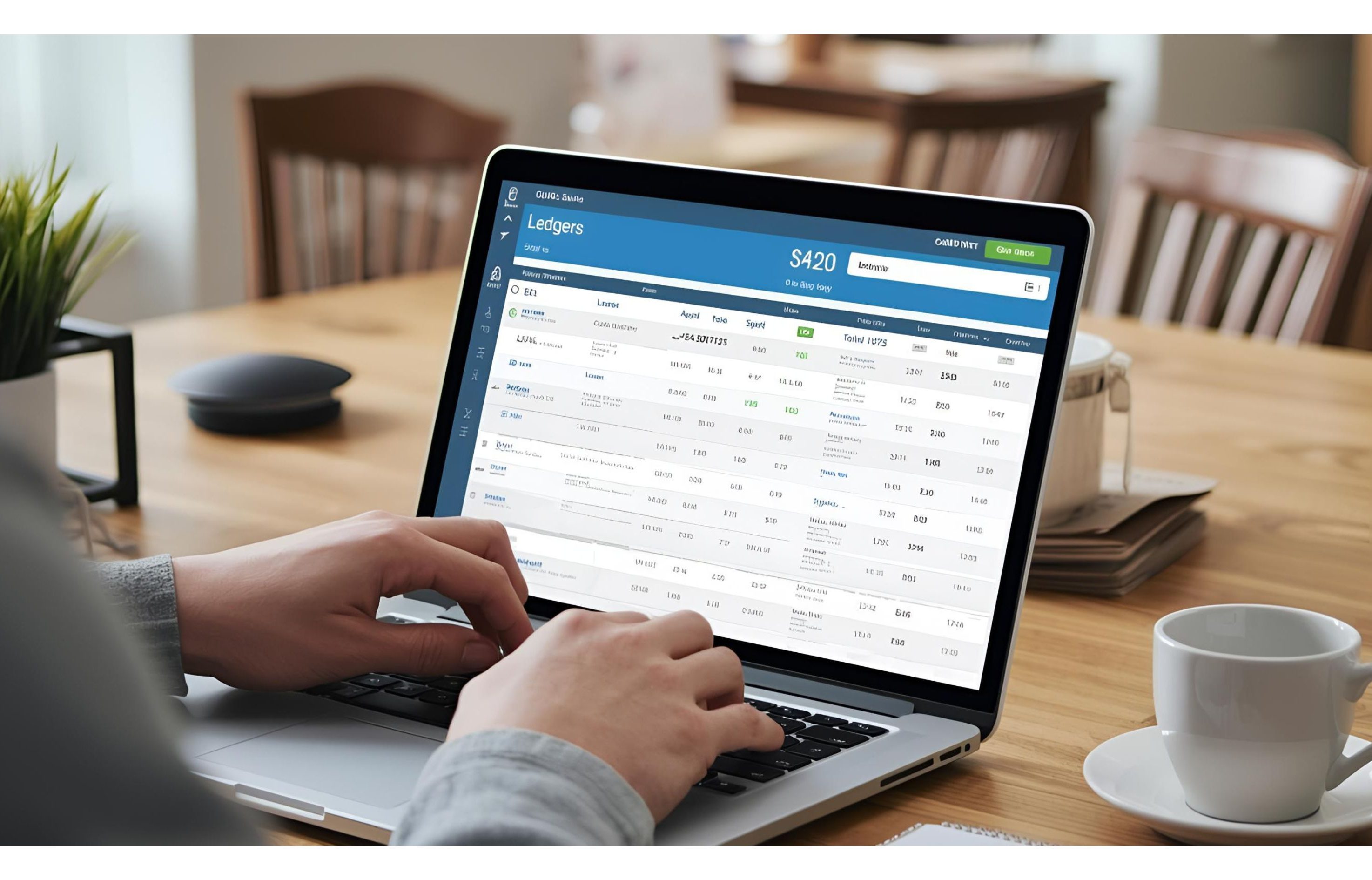
    ezBankSummary automatically analyzes bank statements (CSV/XLS/XLSX) in seconds, eliminating the need for manual Excel work or pivot tables. It intelligently combines debits and credits across different bank formats, auto-categorizes transactions using AI into 20+ standard and custom categories, and generates instant summary reports with totals, net amounts, and transaction counts. With support for multi-account analysis, vendor tracking, and consolidated views across banks, ezBankSummary delivers GST-, audit-, and Tally-ready outputs while removing formula errors and saving hours of reconciliation time.

    ezbanksummary

    What it does:

    • Automatically analyzes bank statements and generates clear, visual summaries
    • Combines debits and credits across different bank formats into a single view
    • Categorizes transactions intelligently for instant insights
    • Compares trends across accounts and time periods effortlessly
    • Generates GST-, audit-, and Tally-ready reports

    2. QuickBooks

    QuickBooks is probably the most popular accounting tool for small and mid-sized businesses. It links your daily accounting directly to reporting, which makes analysing financial statements quick and painless.

    What it does:

    • Automatically generates profit and loss reports
    • Shows balance sheets and cash flow statements
    • Has KPI dashboards, so you see what matters
    • Connects to your bank feeds

    3. Cube

    Cube is a planning and analysis tool that requires no code. To support more in-depth financial analysis, it extracts data from Excel and other systems. Excellent for forecasting and budgeting without requiring a technical degree.

    What it does:

    • Builds real-time financial models
    • Let’s you play with different scenarios
    • Makes team collaboration easier
    • Automatically combines data from different sources

    4. ERPNext

    ERPNext is an open-source ERP system with solid accounting features. It handles reporting and lets you compare financial statements across different time periods and even different companies.

    What it does:

    • Oversees the trial balance and general ledger.
    • Generates balance sheet and profit and loss reports.
    • Provides you with real-time data access
    • Supports several businesses

    5. Trendlyne

    Trendlyne focuses on financial data for publicly listed companies. It helps you track ratios, trends, and performance for equity analysis and investment decisions.

    What it does:

    • Shows fundamental ratio dashboards
    • Tracks earnings over time
    • Analyzes trends
    • Compares companies within sectors

    6. IBM Cognos Analytics

    IBM Cognos Analytics is what big organisations use for serious business intelligence. It supports deep financial statement analysis through customisable dashboards and visual reports.

    What it does:

    • Creates custom dashboards however you want them
    • Pulls data from multiple sources
    • Automates report generation
    • Uses AI to find insights you might miss

    7. F9 Financial Reporting

    report

    F9 connects your accounting data directly with Excel. Perfect for finance teams that need detailed reports and want the flexibility to analyse things within spreadsheets they already know.

    What it does:

    • Creates Excel-based financial reports
    • Uses custom templates you design
    • Refreshes data live
    • Handles multi-currency reporting

    8. Perfios

    Banks and lenders often rely on Perfios. The platform examines bank statements and other financial data, producing summaries and flagging possible areas of concern.

    What it does:

    • Uses AI to extract data automatically
    • Analyzes multiple accounts at once
    • Detects fraud patterns
    • Creates custom reports

    9. FinSight (Online Analyzer)

    FinSight is a browser-based tool for analysing KPIs and ratios. Without installing anything, you enter your financial data and receive immediate insights.

    What it does:

    • Instantly calculates ratios.
    • Analyzes liquidity and leverage.
    • Displays trend and break-even charts.
    • Exports reports as PDFs.

    10. Xero

    Xero, the cloud-based accounting platform, offers a suite of powerful reporting tools. It’s a favorite among small businesses and their financial advisors, who depend on it for routine financial statement reviews and comparisons.

    What it does:

    • Creates custom dashboards
    • Reconciles bank accounts live
    • Exports reports in different formats
    • Automates invoicing

    Conclusion

    Financial statement analysis tools transform raw accounting figures into actionable insights. Financial advisers help simplify complex balance sheets, income statements, and cash flows into ratios, trends, or visual representations that are easy to comprehend and comprehend.

    Finding the appropriate financial statement analysis software depends entirely upon your business size and requirements for reporting purposes. EZBankSummary stands out by offering clear, automated insights into your financial statements with minimal user involvement required from you.

    When you use the right tools of financial statement analysis, you save time, make fewer mistakes, and get better control over how your business is performing.

    Questions People Ask Us

    What are the tools of financial statement analysis?

    These are software tools designed to dissect your financial statements, offering insights such as ratios, trends, and comparisons. Basically, they do the heavy lifting so you don’t have to.

    What’s the best financial analysis software for small businesses?

    In India, EZBankSummary, QuickBooks, and Xero work really well for small businesses. They’re easy to set up, and the reports make sense without needing an accounting degree.

    What does automated financial statement analysis mean?

    It means using software to pull data, calculate ratios, and create reports automatically instead of doing everything manually in spreadsheets. It’s faster, more accurate, and way less frustrating.
  • Complete Guide to Financial Statement Analysis: How Automated Tools Save Time and Errors

    Complete Guide to Financial Statement Analysis: How Automated Tools Save Time and Errors

    Transform complex financial information into straightforward, actionable insights.

    Managing and understanding the financial statements can be quite overwhelming, particularly when you need to deal with many accounts and several pages of reports. 

    This is where the EZ Bank Summary comes in and automates the whole process of financial statement analysis, saves your time, avoids manual errors, and helps you make wiser financial decisions.

    Here is a step-by-step guide to understand and analyze your financial statements effectively by leveraging automated tools.

    Step 1: Understand What Financial Statement Analysis Means

    Financial statement analysis can be defined as the process of evaluating key financial reports-an income statement, balance sheet, and cash flow statement-with the purpose of ascertaining performance, profitability, and stability. It assists in the identification of trends with a view to assessing the efficiency of business and guiding financial decisions.

    This process is very time-consuming and, if done manually, is prone to a lot of errors. With our software, all these processes are automated for accuracy and save hours.

    Step 2: Explore the Tools of Financial Statement Analysis

    financial analysis tool

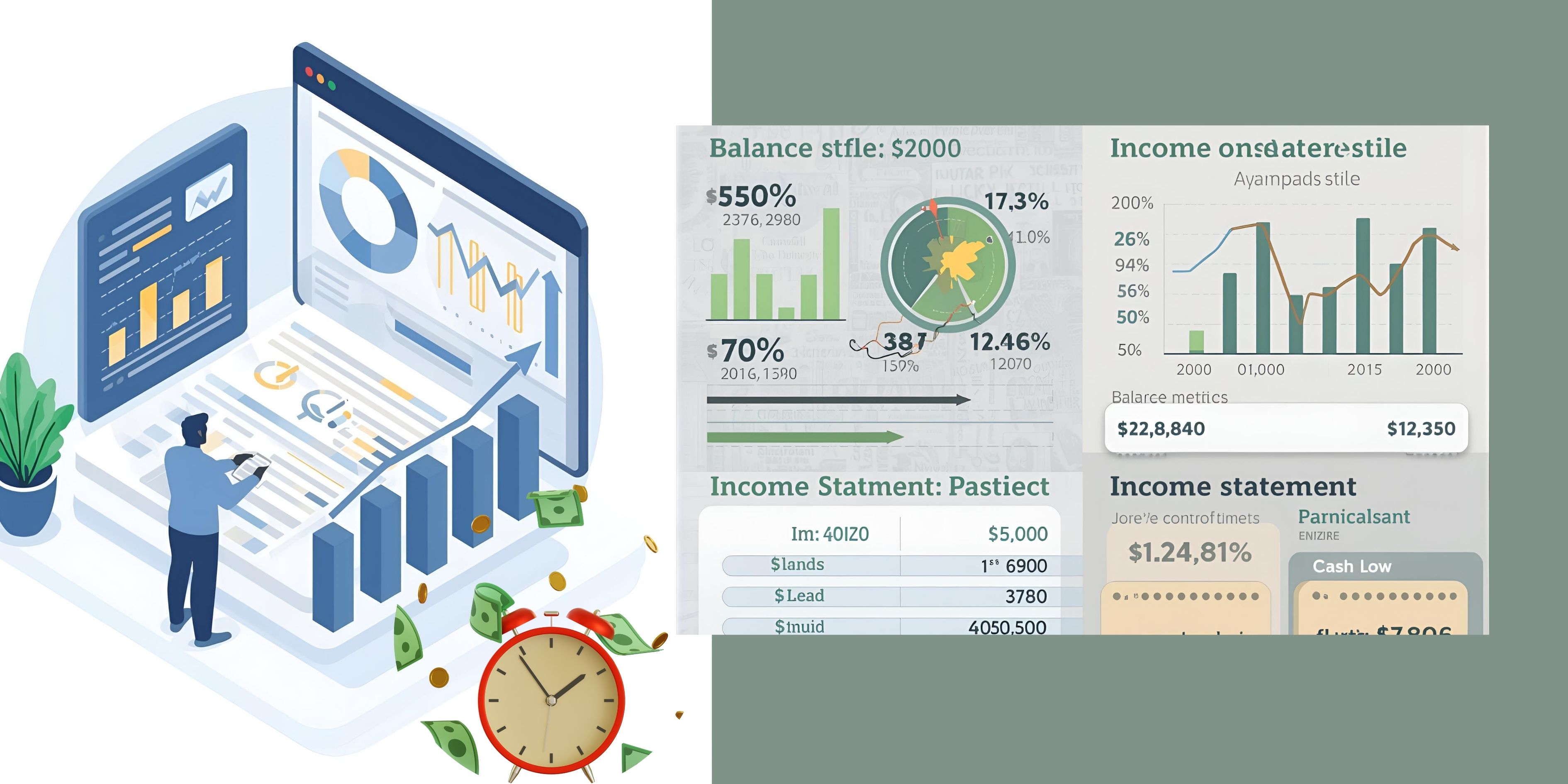
    The tools of financial statement analysis turn big sets of financial data into concise insights. Our platform includes several key tools that speed up the analysis and make it more reliable:

    • Ratio Analysis Tools: determine the levels of profitability, liquidity, and efficiency of operations.
    • Trend Analysis Tools: track performance over many months or years.
    • Comparative Statements: These are comparative financial data side by side to show growth or decline.
    • Visual Dashboards: By converting raw numbers into intuitive charts and graphs.

    These automated tools reduce manual effort while improving the accuracy and clarity of your reports.

    Step 3: Use financial statement analysis software for complete accuracy.

    Instead of spending hours categorizing and calculating, our financial statement analysis software automates it.

    Here’s how it works:

    • Quickly Import Data: Import bank or financial statements in just a few seconds from a wide variety of file formats.
    • Smart Categorization: The software automatically categorizes all types of transactions, such as income, expenses, or investments.
    • Instant Summaries and Charts: Reports at your fingertips, visually representing financial performance.
    • Error-free Processing: Automation removes manual calculation errors.

    This ensures that the results are consistent and accurate, saving time for businesses and financial professionals.

    Step 4: Automate Bank Statement Analysis

    automated bank analysis

    Our bank financial statement analysis software can be just what you need to make your job easier if you handle a number of accounts or clients.

    Here is what it offers:

    • Multi-Bank Integration: View and analyze several banks’ statements in one dashboard.
    • Duplicate Detection: It automatically detects and removes any repeated entries.
    • Trend and Anomaly Detection: Identify unusual transactions or spending patterns instantly.
    • Time Efficiency: What requires hours now, with automated tools, is done in minutes.

    Automation enables you to focus on strategic financial planning, not on repetitive data entry.

    Step 5: Prepare Clear and Full Financial Reports

    Reporting is the last but not least step, and of course, our software makes it very easy. Just a few clicks will get you to the detailed summary ready for review, tax filing, or presentation.

    You can:

    • Exported reports in Excel or PDF format for easy sharing.
    • Filter by date, account, or category.
    • View interactive charts showing trends in income and expenses.

    This saves time and keeps all your financial data at your fingertips.

    Benefits of Using Automated Financial Analysis Tools

    With automated financial tools, you are able to:

    • Save hours of manual data handling.
    • Minimize the risk of human error.
    • Acquire accurate and timely financial insights.
    • Simplify your tax and audit preparation.
    • Make better financial decisions, faster.

    It will keep your books accurate and current, without any additional work.

    Frequently Asked Questions

    1. What is the purpose of financial statement analysis?

    It helps firms and individuals to understand financial health, find opportunities for growth, and make more informed decisions.

    2. What are the major tools of financial statement analysis?

    Common tools include ratio analysis, trend analysis, comparative statements, and graphical summaries.

    3. How does financial statement analysis software save time?

    It automates the importation of data, categorization, and reporting, hence saving manual effort and improving speed. 

    4. Can bank financial statement analysis software be used for more than one account? 

    Yes, EZ Bank Summary does support importing and analyzing statements from a number of different banks in one location. 

    5. Is automated financial analysis accurate? 

    Yes, automation through our platform reduces human errors and assures accurate, consistent results every time. 

    Simplify Financial Analysis with the EZ Bank Summary

    We will make financial statement analysis fast, accurate, and easy. From smart categorization to automated reporting, everything is designed to make your financial management easier. 

    Unlock smarter financial insights starting today with EZ Bank Summary – Where automation meets accuracy.

  • How ezBankSummary Makes Bank Statement Analysis 10x Faster Than Excel Pivot Tables

    How ezBankSummary Makes Bank Statement Analysis 10x Faster Than Excel Pivot Tables

    Intro:
    If you’ve ever spent 20–30 minutes analyzing a bank statement in Excel using pivot tables, you’ll love how ezBankSummary simplifies it. Inspired by John’s How to Analyze Bank Statements Fast With Pivot Tables tutorial, here’s how we’ve automated every step — saving you time, reducing errors, and producing audit-ready insights in seconds.

    🚀 What ezBankSummary Does Instantly (vs. Manual Excel Workflow)

    1️⃣ No Manual Table Formatting

    • ❌ In Excel: Convert ranges to tables, fix headers, and reformat columns.
    • ✅ With ezBankSummary: Just upload your CSV/XLS/XLSX file — we automatically parse, clean, and structure your data.

    2️⃣ Smart Debit/Credit Handling

    • ❌ In Excel: Create calculated fields like =Debit + Credit, manage positive/negative signs.
    • ✅ With ezBankSummary: We auto-detect debit/credit formats across banks and merge them into accurate net amounts per category — zero formulas needed.

    3️⃣ Instant Categorization

    • ❌ In Excel: Manually drag fields into pivot tables and group categories.
    • ✅ With ezBankSummary: AI auto-categorizes 20+ transaction types (e.g., Bank Charges, UPI Payments, Vendor Payments). Add your custom rules once and reuse forever.

    4️⃣ Pre-Built Financial Analysis

    • ❌ In Excel: Manually build pivot tables and calculated columns for every report.
    • ✅ With ezBankSummary: Get ready reports in seconds — summary of total debits, credits, and net balances with category-wise breakdowns.

    💼 Business-Ready Features

    • Multi-Account Analysis: Combine statements from multiple bank accounts in one report.
    • Vendor Tracking: Identify pending or duplicate vendor payments.
    • Tax & Audit Ready: Export clean data for tax filing and auditors.
    • Saved Categories: Reuse your custom mappings every month automatically.

    🎯 Perfect For

    Accountants, business owners, and auditors who regularly reconcile accounts and prefer results over repetitive Excel work.

    Try It Free:
    Upload your first statement and get insights in seconds → ezBankSummary.com/financial-statement-analyzer

  • Complete Guide to Financial Statement Analysis Software: How Automated Tools Save Time and Errors

    Complete Guide to Financial Statement Analysis Software: How Automated Tools Save Time and Errors

    Financial statement analysis is the backbone of sound financial management. It is the process of analyzing and interpreting such financial information as income, expenses, assets, and liabilities to determine the financial performance of a company. 

    Historically, it used to involve manual calculations, spreadsheet maintenance, and infinite cross-checking—resulting in loss of time and human mistakes.

    This is where financial statement analysis software, like EZ Bank Summary, comes in. It converts raw financial information into understandable, actionable information. 

    Through the automation of tasks such as transaction categorization and the creation of financial summaries, this software enables businesses and individuals to make informed, data-driven decisions without the tedious effort of manually doing these tasks.

    How Financial Statement Analysis Software Works?

    The strength of automation is speed and accuracy. Smart financial statement software program employs state-of-the-art algorithms to experiment, 

    classify, and understand economic information instantly out of your financial institution statements and transaction documents.

    Here’s a short evaluate of the way our software program works:

    • Data Upload – Upload monetary reports or financial institution statements in supported document kinds.
    • Automatic Data Extraction – The software program reads the transactions line by line, recognizing dates, descriptions, and quantities.
    • Smart Categorization – The software employs keyword identification to robotically classify each transaction, consisting of income, expenses, or supplier payments.
    • Summary Generation – In mere seconds, users are provided with a neat, detailed summary, complete with charts and tables to illustrate spending patterns and income trends.

    This efficient procedure not only eliminates hours of manual labor but also guarantees all transactions are properly recorded and categorized.

    Integration with Other Financial Tools

    Another significant benefit of using our financial statement analysis software is its integration with other financial management systems.

    Bank Statement Analysis Tool

    EZ Bank Summary is also a reliable bank statement analysis tool that assists users in extracting transaction information, detecting discrepancies, and deriving financial trends. It’s great for accountants, tax consultants, and business owners managing multiple accounts.

    Income Tax Filing Software Integration

    When you file taxes, we ease the process through the production of reports that are compatible with income tax filing software. You can easily categorize transactions, recognize deductible expenses, and prepare proper data for tax filing. 

    To see how this integration makes the filing process easier, you can visit our blog — Streamline your TAX Filing with Bank Statement Analysis.

    GST Filing Software for Tax Consultants

    For accounting professionals, our software integrates smoothly with GST filing software for tax consultants. It classifies GST-associated transactions, monitors credits and liabilities, and guarantees correct tax reporting—minimizing compliance-related anxiety.

    Primary Advantages of Financial Statement Analysis Software

    • Precision and Uniformity – Robotic categorization minimizes the possibility of incorrect transaction classification or total miscalculation.
    • Time Saved – Reports that previously took hours to create are now created in minutes.
    • Error Elimination – Human errors through manual input and convoluted spreadsheets are greatly reduced.
    • Data Visualization – Get improved insights through clear-to-understand financial briefs and visual reports.
    • Compliance Simplified – Integration with tax and GST add-ons ensures everything is filing-ready.

    If you are interested in learning more about simplifying your financial reporting and monitoring, read our related blog — Mastering Financial Clarity: Advanced Bank Statement Analysis and Essential Financial Tools.

    Who Can Benefit From Automated Financial Analysis?

    • Small Business Owners – To keep an eye on income, expenses, and profitability.
    • Freelancers – To monitor client payments and expenses related to projects.
    • Accountants and Tax Consultants – For automating data extraction and reporting.
    • Corporate Finance Teams – For consistency and transparency of reporting.

    Frequently Asked Questions

    1. What is financial statement analysis software?

    It’s an automated software that reads, categorizes, and summarizes your financial information from your bank statements and reports. It makes your financial performance easy to understand without much manual effort.

    2. How does EZ Bank Summary differ from a conventional bank statement analysis tool?

    Though a standard bank statement analysis utility is all about reading transactions, our tool takes a step ahead by providing categorization, reporting, and integration with tax utilities for a thorough financial summary.

    3. Is it possible to use this application together with my income tax filing application?

    Yes. It provides smooth integration with income tax filing applications so you can export categorized data for quick and precise tax filing.

    4. Is this tool beneficial for GST consultants?

    Absolutely. The solution integrates with GST filing software for tax consultants, allowing experts to handle multiple clients’ GST details seamlessly.

    5. What is the benefit of automation in minimizing financial mistakes?

    Automation avoids manual data entry and computation, which guarantees all numbers are accurate and current. This minimizes errors that are usual in manual reporting.

    Take Control of Your Financial Analysis Today

    In today’s speedy world of finance, automation is no longer a choice—it’s a necessity. Through financial statement analysis software like EZ Bank Summary, you can streamline your reporting, save precious time, and achieve absolute accuracy.

    Start now and discover how automation can revolutionize your financial process.

  • Freelancer’s Guide to Filing ITR with Analyzed Bank Statements

    Freelancer’s Guide to Filing ITR with Analyzed Bank Statements

    Preparing your Income Tax Return (ITR) as a freelancer does not have to be a daunting task. It is easy with the help of a bank statement analyzer to collate your income and outgoings, and it makes your filing of ITR accurate and convenient. 

    Here is a simple, step-by-step guide on preparing your financial details efficiently. 

    Step 1: Gather all bank statements

    Start by collecting bank statements from all the accounts you’ve used during the financial year. Freelancers often receive payments from multiple clients or platforms, so ensure no account is left out.

    Pro Tip: Download your statements in CSV or Excel format for easy upload and analysis.

    Step 2: Upload to a Bank Statement Analyzer

    Log in to ezBankSummary and upload your bank statements. The bank statement analyzer quickly scans your data and sorts transactions—deposits, withdrawals, and expenses—automatically. You can easily check bank statements online anytime, making financial tracking faster and simpler.

    You can then see:

    • Total income credited to your accounts
    • Regular client payments
    • Business-related expenses

    No need to review each transaction manually—automation saves hours of effort.

    Step 3: Filter and Categorize Transactions

    Use the filter options to sort your finances clearly. For instance:

    • See all income from one client in multiple accounts
    • Check overall business-associated fees (like software program subscriptions, utilities, and so on.)
    • Separate private transactions from business ones

    This step ensures your facts are smooth and accurate before filing.

    Step 4: Analyze the Summary

    With bank statement analysis free software, you’ll get a summarized view of:

    • Total income received (₹ formatted correctly)
    • Expense breakdowns
    • Number of transactions per category

    This summary gives you a precise idea of your financial situation for the year and helps prepare accurate numbers for your ITR.

    Step 5: Cross-Verify with Supporting Documents

    Once you have done your data analysis, cross-check the same against your bills of expenses, invoices, and receipts. 

    This ensures all these reconcile against your statement summary and do not lead to discrepancies while filing.

    Pro Tip: Where there are inconsistencies, check the transactions under the “Drill Down” option to view details like date, amount, and remarks.

    Step 6: Prepare Income and Expense Summary for ITR

    With your finances all sorted out by category, utilize the bank statement analyzer summary to prepare your income and expense details to file for ITR.

    • Add your gross receipts (total income)
    • Subtract allowable business expenses
    • Maintain the analyzed report as backup evidence in the event of a tax audit
    ITR

    Step 7: File Your ITR

    After preparing and verifying your data, file your ITR from the official Income Tax e-filing portal. Utilize the analyzed report to fill in income details fast and accurately.

    Why Use a Bank Statement Analyzer?

    Sorting transactions manually is time-consuming and prone to errors. A software like ezBankSummary streamlines this with:

    • Instant categorization
    • Easy filters (monthly, quarterly, annually)
    • Simple export and download

    In this manner, freelancers are able to do more work and less number crunching.

    Start Simplifying Your ITR Filing Today

    Import your financial data with ezBankSummary and analyze and summarize it in minutes. Intelligent, simple, and accurate—your bank statements have never been easier to understand.

  • Streamline Your Tax Filing with Bank Statement Analysis

    Streamline Your Tax Filing with Bank Statement Analysis


    Income tax filing doesn’t have to be like digging through mountains of spreads
    heets or rummaging through stacks of receipts. The reality is, most of what you require already exists in your bank statements. 

    The catch is learning how to organize and decode that information in a timely manner. That’s where bank statement analysis software enters the picture.

    Rather than going through transactions by hand, underlining costs, and worrying about details missed, you can employ a bank statement analysis tool to take care of all that for you within minutes. 

    The outcome? An accelerated, error-free tax filing process that saves time and reduces errors.

    Let’s break it down step by step.

    Why Do Bank Statements Hold the Key?

    Consider it. All salary credits, rent paid, business spends, and even small transfers find their way into your bank account. Your statement is really the unprocessed record of your financial life. The issue is that unprocessed data isn’t tax-ready. Without sorting and categorising, it’s merely a sea of numbers.

    That’s where technology picks up the slack. With the proper financial analysis software, those lines of transactions are suddenly distinct categories: income, expenses, tax-deductible expenses, investments, etc.

    How Bank Statement Analysis Hurries Tax Filing?

    tax filling

    Here’s what you get with a bank statement analysis tool:

    1. Automatic Categorisation

    Rather than having to hand-determine whether a transaction was for business or personal use, the tool classifies them for you. Client meals, software subscriptions, travel tickets each finds its rightful bucket.

    2. Faster Identification of Tax-Deductible Expenses

    This is where most people waste time. Did you actually remember all last year’s deductible expenses? Unlikely. With analysis software, deductions are highlighted in a moment. No more last-minute scrambling.

    3. Easy Yearly Summaries

    You don’t need to check each statement one by one. The software compiles everything into neat summaries, making it easier to see your income versus expenses across the year.

    4. Reduced Errors

    Typos and skipped entries are common when you’re doing things by hand. Automation helps eliminate those mistakes. Clean, accurate data means fewer headaches if the tax department asks questions later.

    5. Quicker Filing with Accountants or Tax Sites

    By delivering consolidated data rather than a stack of PDFs, your accountant gets done faster and pays less. And if you’re doing your taxes yourself using an online service, it’s just as seamless.

    Choosing the Right Tool

    Here’s the thing: all tools aren’t created equal. Some are too complicated, meant for big corporations, and others are too simple for serious tax preparation. 

    The sweet spot is software that’s robust enough to crunch transactions in a flash but simple enough for daily use.

    Here are the features to look for when shopping around:

    • Upload feature for varying formats (PDF, Excel, CSV)
    • Automatic categorisation of income and expenses
    • Export report options (useful when sharing with your accountant)

    A free trial for bank statement analysis software, so you can try before buying

    And if you’re worried about privacy, ensure the provider has secure handling of data. After all, you’re uploading sensitive financial information.

    Practical Tips to Get Started

    So, how do you really utilize a program like this to quicken your tax filing?

    Gather your statements

    Download them from your bank’s site. Most banks allow you to check your bank statement online and export it in PDF or Excel format.

    Upload to the software

    Use the upload function in the tool. In mere seconds, your data is scanned and sorted.

    Review categories

    Automation is intelligent, but it’s not flawless. Take a couple of minutes to ensure business lunches aren’t confused with personal meals.

    Create reports

    Export a summary of your income, expenses, and deductions.

    Hand it over (or file yourself)

    Provide the report to your accountant or utilize it as your guide when filing taxes online.

    Why This Approach Works?

    What this actually does is cause you to cease wasting hours on non-value-added tasks and spend more time on actual decision-making. Rather than rushing about in March or April, you’ll have clean, trustworthy numbers at your fingertips.

    For independent contractors, small business owners, or even overworked professionals with multiple accounts, this method doesn’t merely accelerate tax filing—it provides reassurance. You understand your information is precise, thorough, and ready to file.

    Conclusion

    It’s not about enjoying tax season with bank statement analysis  software, it’s about tolerating it and making it productive. A quality bank statement analysis tool saves hours of your time, eliminates mistakes, and provides you with a solid picture of your fiscal year. 

    If you’ve been putting off tax filing because of the chaos of receipts and spreadsheets, it’s time to make the switch. At EZ Bank Summary, the process is designed to be straightforward. Upload your statements, review the results, and you’re already halfway done with your taxes.

  • Organize Your Finances with Ledgers 

    Organize Your Finances with Ledgers 

    Turn Transactions into Insights with Smart Ledgers 

    Raw bank data only tells part of the story. To truly understand your finances, you need 

    categories, clients, and expense groups. That’s where Ledgers in ezBankSummary come in your built-in guide to smarter money management, making it easier to track spending, revenue, and even identify tools like the best financial analysis software to str

    bank mangement
    1. Create Ledgers for What Matters Most 

    Ledgers can represent: 

    • Clients (track revenue per client) 
    • Categories (group expenses like Office Supplies) 
    • Purchase Accounts (track marketing or vendor costs) 
    • Sales Accounts (track income sources) 

    Each type is color-coded for quick recognition. 

    1. Keyword-Based Categorization 

    No more manual tagging. Just add keywords for each ledger (e.g., “Amazon”, “Google Ads”, “Consulting”, “automated financial statement analysis”), and ezBankSummary automatically matches transactions against them. 

    1. Easy to Manage 
    • Add or remove keywords anytime. 
    • Edit ledger names and types easily. 
    • Delete unused ledgers in one click. 

    💡 Pro Tip: Start with 4–5 ledgers that reflect your biggest clients, vendors, or categories. This small setup delivers huge time savings later. 

    👉 Take control of your spending and revenue streams, set up your first ledger today.

  • Managing Bank Accounts in ezBankSummary 

    Managing Bank Accounts in ezBankSummary 

    Take Control of Your Finances with a Single Dashboard

    If you manage multiple bank accounts, you know how overwhelming it can get—different logins, scattered statements, and endless spreadsheets. With ezBankSummary, you can keep all your accounts neatly organized in one dashboard. It not only simplifies your daily money management but also helps with financial statement analysis giving you clearer insights into your spending, savings, and overall financial health.

    bank account
    1. Unified Bank Accounts Dashboard 

    The Bank Accounts page gives you a card-style view of all your accounts Checking, Savings, or even Credit Cards. Each card shows: 

    • Bank name and account number (last 4 digits only for security) 
    • Account type (Checking, Savings, etc.) 
    • Number of uploaded statements 
    • Latest statement file 
    bank statement
    1. Adding New Accounts is Simple 

    Click “+ Add Account” and a sleek modal opens up. Just enter: 

    • Account Name (e.g., “Chase Checking”) 
    • Bank Name 
    • Last 4 digits of account number 
    • Account Type 

    That’s it—your new account is ready to use. 

    3. Upload & Track Statements 

    Each account card also shows your uploaded statements. The system automatically keeps track of the latest file, so you never lose track of which statement was last uploaded. 

    💡 Pro Tip: Start by adding all your business and personal accounts. This foundation makes analysis and categorization much smoother later. 

    👉 Ready to simplify your finances? Add your first bank account in ezBankSummary today.