Tag: financial statement analysis

  • 7 Best Bank Statement Analysis Software for Accountants in India

    7 Best Bank Statement Analysis Software for Accountants in India

    Have you ever thought about why teams still have trouble checking bank statements by hand? It slows down decisions and creates errors for lenders and analysts who need speed and accuracy. Market data shows the bank statement analyzer market was worth about $2.18 billion in 2024 and is projected to hit around $5 billion by 2035, growing at 7.8 percent annually. EZ Bank Summary positions itself as fast and accurate bank statement analysis software built to help you process data with fewer mistakes and less frustration.

    The demand for bank statement analysis software keeps climbing because people need faster reviews, cleaner data, fraud alerts, and better compliance. Manual checks eat up hours of your day, while automated tools cut that work down to minutes and boost accuracy for banks, fintechs, and small businesses. Growth stays steady as digital transactions multiply and you’re stuck handling more statements every month. In this blog, you’ll discover 7 of the best bank statement analysis software options for accountants in India.

    EZ Bank Summary: Quick Insights from Bank Statements

    EZ Bank Summary works really well for Indian accountants who spend too much time staring at bank statements. It runs on AI that handles PDF, Excel, or CSV files with the kind of accuracy that makes you wonder how you survived without it. This wipes out hours you’d normally lose to tedious manual entry while keeping you square with GST requirements and audit standards. 

    As a top-rated bank statement analyzer online, it tracks multiple accounts without breaking a sweat, producing reports that clarify your financial picture and build the kind of trust that keeps clients coming back.

    What makes it work:

    • AI spots transactions with 99.8% accuracy regardless of format
    • Auto-sorts into categories like sales, UPI payments, or your own custom tags
    • Generates reports for GST reconciliation and audits to make tax season bearable
    • Integrates with Tally and other tools through developer APIs for easy exports
    • Top-notch security with AES-256 encryption on AWS, and no data stored after you’re done

    Perfios: Spot Risks in Financial Data

    Perfios brings cutting-edge bank financial statement analysis software to India’s financial world. It works with all kinds of formats to dig deep into transactions. Built-in risk scores and anomaly checks help lenders and auditors catch fraud before it causes damage. NBFCs rely on this bank statement analyzer to speed up loan approvals with insights that sharpen their decisions.

    Risk detection essentials:

    • Handles PDFs, images, and more for broad file support
    • AI flags potential fraud and scores risks to send early warnings
    • Breaks down cash flows and income streams for clearer lending views
    • Ties into core banking systems and APIs without headaches
    • Stays compliant with RBI regulations for safe, steady operations

    Pro Analyser: Find Trends and Avoid Fraud

    fraud protection

    Pro Analyser provides a sharp bank statement analyzer online for India’s accounting professionals. It quickly gets and analyzes information about inflows, outflows, and EMI. It helps auditors and NBFCs make fewer mistakes when checking finances by being good at spotting unusual patterns and writing reports. You get fast, reliable reads on complex statements without the usual hassle.

    Key insight drivers:

    • Tracks cash flows to reveal income and spending habits clearly
    • Identifies EMIs and loans, plus alerts you to penalties or bounced payments
    • Sorts transactions accurately and flags fraud risks before they escalate
    • Exports reports in PDF or Excel for simple sharing with clients
    • Handles large batches of statements without slowing down your workflow

    Precisa: Connect Data for Clear Financial Views

    Precisa acts as a comprehensive bank statement analysis software for Indian accountants. It combines statement uploads with live GST and credit data pulls for a complete financial picture. Machine learning picks out anomalies and categorizes transactions correctly, supporting AML reviews. Firms appreciate its Account Aggregator connection for secure, comprehensive data views that remain tamper-proof.

    Fusion capabilities:

    • Pulls bank data directly via Account Aggregator for true accuracy
    • Machine learning sorts transactions and maps counterparties automatically
    • Analyzes GSTR and credit reports in one unified dashboard
    • Integrates into loan management systems through APIs
    • Live dashboards keep your operations running smoothly in real time

    Suvit: Auto-Enter Data for Easy GST Work

    auto work

    Suvit rises as an AI-focused bank statement analyser for chartered accountants in India. It accepts Excel and PDF uploads through convenient channels like WhatsApp. Auto-maps ledgers and matches entries, catching discrepancies quickly. The software transforms tedious data entry into quick workflows, nailing accuracy in your books and tax filings.

    Automation pillars:

    • Collects documents via WhatsApp and sorts them automatically
    • Maps ledgers intelligently to Tally or Vyapar without manual tweaking
    • Reconciles GST with over 30 validation checks for errors
    • Processes bulk uploads from statements and bills all at once
    • Sends reminders to clients so they stay on top of deadlines

    Karza: Reveal Hidden Issues in Lending

    Karza Technologies puts out some seriously capable bank financial statement analysis software. It taps AI to pull data from statements and figure out how strong MSMEs really are when it comes to credit. The behavioral checks catch fraud in ways that slot right into how lenders already operate. Banks and NBFCs all over India depend on it for fast, regulation-friendly checks that dramatically lower the risks of bringing questionable borrowers on board.

    What keeps things secure:

    • OCR technology turns messy documents into clean, organized data you can actually work with
    • Catches weird patterns and fraud by analyzing behavior through their TrustArmour system
    • One API handles both MSME onboarding and the deep dive into statement analysis
    • VKYC and AML screening that meets RBI requirements right out of the box
    • Workflows are designed to push loan approvals through way faster than traditional methods

    Nanonets: Smart Extraction from Any Bank Format

    Nanonets serves as a flexible bank statement analyzer online software. It uses AI to improve OCR on the many different types of bank statements in India. You can customize extraction rules to match your specific needs, improving transaction data pulls for accountants. The software handles loads of statements, format-agnostic and lightning-fast, with easy integrations.

    Extraction engines:

    • AI-powered OCR adapts to many bank layouts with impressive accuracy
    • Trains custom models tailored to your transaction categorization needs
    • Exports data automatically to your accounting systems
    • Cloud-based batch processing for large analysis jobs
    • Real-time validation checks that skip most manual verification work

    Final Thoughts

    Indian accounting doesn’t slow down for anyone, and the best bank statement analysis software gives you the accuracy and speed to tackle compliance headaches without losing sleep. When you bring in tools like the ones we’ve talked about here, reconciliations get smoother, fraud gets caught earlier, and the reports you hand clients actually help them make smarter decisions about their money.

    EZ Bank Summary really stands out as bank statement analysis software worth your time start turning those piles of statements into insights you can use today, and take back the hours you’ve been losing every single week.

    Frequently Asked Questions (FAQs)

    What is bank statement analysis software?

    Bank statement analysis software automates the messy work of extracting, categorizing, and reconciling transaction data from bank statements. It saves you countless hours you’d otherwise spend on manual reviews, freeing you up for work that actually requires your expertise.

    Why choose bank statement analysis software for Indian accountants?

    In India, bank statement analysis software ensures you stay GST-compliant while catching fraud early. It handles diverse formats like PDFs from different local banks, giving you accurate data for audits without the headache of manual data entry across multiple statement styles.

    How does bank statement analysis software improve efficiency?

    Bank statement analysis software streamlines your entire workflow by integrating with tools you already use like Tally. It slashes errors, enables quick report generation for client advisories, and turns what used to take days into work you finish in minutes.

    Is bank statement analysis software secure for sensitive data?

    Yes. Leading bank statement analysis software uses AES-256 encryption and follows RBI-compliant protocols to protect financial details during processing. Your clients’ sensitive information stays protected, and many platforms don’t even store data after processing completes.

  • Top 10 Tools for Financial Statement Analysis in India

    Top 10 Tools for Financial Statement Analysis in India

    Let’s be honest, staring at rows and columns of numbers isn’t anyone’s idea of fun. But if you run a business or manage finances, you need to understand what those numbers are telling you. 

    In India’s fast-moving business world, the right tools of financial statement analysis help you read financial statements without getting a headache, spot patterns you might have missed, and compare how you’re doing year over year. These tools turn boring spreadsheets into actual insights you can use. Whether you’re checking someone’s creditworthiness, valuing a business, reviewing risk, or tracking investments, good analysis tools make everything easier.

    Here’s the problem with doing this stuff manually: it takes forever, and mistakes creep in way too easily. Modern financial statement analysis software handles the automation, gives you visual dashboards, and uses smart features to show you ratios, trends, and projections in real time. For business owners, investors, and finance teams, the right tools for financial statement analysis mean better planning, fewer errors, and more control over what’s happening with your money.

    Below, we have put together the top 10 tools for financial statement analysis that work well for Indian businesses. I focused on ones that are easy to use, relevant for India, flexible enough to grow with you, and support automated financial statement analysis so you’re not stuck doing everything by hand.

    1. EZBankSummary

    ezBankSummary automatically analyzes bank statements (CSV/XLS/XLSX) in seconds, eliminating the need for manual Excel work or pivot tables. It intelligently combines debits and credits across different bank formats, auto-categorizes transactions using AI into 20+ standard and custom categories, and generates instant summary reports with totals, net amounts, and transaction counts. With support for multi-account analysis, vendor tracking, and consolidated views across banks, ezBankSummary delivers GST-, audit-, and Tally-ready outputs while removing formula errors and saving hours of reconciliation time.

    ezbanksummary

    What it does:

    • Automatically analyzes bank statements and generates clear, visual summaries
    • Combines debits and credits across different bank formats into a single view
    • Categorizes transactions intelligently for instant insights
    • Compares trends across accounts and time periods effortlessly
    • Generates GST-, audit-, and Tally-ready reports

    2. QuickBooks

    QuickBooks is probably the most popular accounting tool for small and mid-sized businesses. It links your daily accounting directly to reporting, which makes analysing financial statements quick and painless.

    What it does:

    • Automatically generates profit and loss reports
    • Shows balance sheets and cash flow statements
    • Has KPI dashboards, so you see what matters
    • Connects to your bank feeds

    3. Cube

    Cube is a planning and analysis tool that requires no code. To support more in-depth financial analysis, it extracts data from Excel and other systems. Excellent for forecasting and budgeting without requiring a technical degree.

    What it does:

    • Builds real-time financial models
    • Let’s you play with different scenarios
    • Makes team collaboration easier
    • Automatically combines data from different sources

    4. ERPNext

    ERPNext is an open-source ERP system with solid accounting features. It handles reporting and lets you compare financial statements across different time periods and even different companies.

    What it does:

    • Oversees the trial balance and general ledger.
    • Generates balance sheet and profit and loss reports.
    • Provides you with real-time data access
    • Supports several businesses

    5. Trendlyne

    Trendlyne focuses on financial data for publicly listed companies. It helps you track ratios, trends, and performance for equity analysis and investment decisions.

    What it does:

    • Shows fundamental ratio dashboards
    • Tracks earnings over time
    • Analyzes trends
    • Compares companies within sectors

    6. IBM Cognos Analytics

    IBM Cognos Analytics is what big organisations use for serious business intelligence. It supports deep financial statement analysis through customisable dashboards and visual reports.

    What it does:

    • Creates custom dashboards however you want them
    • Pulls data from multiple sources
    • Automates report generation
    • Uses AI to find insights you might miss

    7. F9 Financial Reporting

    report

    F9 connects your accounting data directly with Excel. Perfect for finance teams that need detailed reports and want the flexibility to analyse things within spreadsheets they already know.

    What it does:

    • Creates Excel-based financial reports
    • Uses custom templates you design
    • Refreshes data live
    • Handles multi-currency reporting

    8. Perfios

    Banks and lenders often rely on Perfios. The platform examines bank statements and other financial data, producing summaries and flagging possible areas of concern.

    What it does:

    • Uses AI to extract data automatically
    • Analyzes multiple accounts at once
    • Detects fraud patterns
    • Creates custom reports

    9. FinSight (Online Analyzer)

    FinSight is a browser-based tool for analysing KPIs and ratios. Without installing anything, you enter your financial data and receive immediate insights.

    What it does:

    • Instantly calculates ratios.
    • Analyzes liquidity and leverage.
    • Displays trend and break-even charts.
    • Exports reports as PDFs.

    10. Xero

    Xero, the cloud-based accounting platform, offers a suite of powerful reporting tools. It’s a favorite among small businesses and their financial advisors, who depend on it for routine financial statement reviews and comparisons.

    What it does:

    • Creates custom dashboards
    • Reconciles bank accounts live
    • Exports reports in different formats
    • Automates invoicing

    Conclusion

    Financial statement analysis tools transform raw accounting figures into actionable insights. Financial advisers help simplify complex balance sheets, income statements, and cash flows into ratios, trends, or visual representations that are easy to comprehend and comprehend.

    Finding the appropriate financial statement analysis software depends entirely upon your business size and requirements for reporting purposes. EZBankSummary stands out by offering clear, automated insights into your financial statements with minimal user involvement required from you.

    When you use the right tools of financial statement analysis, you save time, make fewer mistakes, and get better control over how your business is performing.

    Questions People Ask Us

    What are the tools of financial statement analysis?

    These are software tools designed to dissect your financial statements, offering insights such as ratios, trends, and comparisons. Basically, they do the heavy lifting so you don’t have to.

    What’s the best financial analysis software for small businesses?

    In India, EZBankSummary, QuickBooks, and Xero work really well for small businesses. They’re easy to set up, and the reports make sense without needing an accounting degree.

    What does automated financial statement analysis mean?

    It means using software to pull data, calculate ratios, and create reports automatically instead of doing everything manually in spreadsheets. It’s faster, more accurate, and way less frustrating.

  • How to Check Your Bank Statement Online Securely in India?

    How to Check Your Bank Statement Online Securely in India?

    Today, most people prefer to handle their banking tasks online. Among them, one of the common tasks is to check the bank statement online. It is simple, fast, and safe if you do it by using the right methods.

    In India, several leading banks have introduced online and mobile banking for accessing the account information of customers at all times. Whether you need your statement for budgeting, loan applications, or personal record-keeping, knowing how to check it safely is very important.

    This blog will guide you in how to check your bank statement online securely, and how you can analyze it easily using tools like EZ Bank Summary.

    Why Is Online Checking Your Bank Statement Important?

    A bank statement helps you keep track of your spending, deposits, withdrawals, and balance.

    Regularly checking your statement helps you to:

    • Track your monthly expenses
    • Detect any unauthorized transactions
    • Get ready for tax filing
    • Apply for Loans and Financial Services
    • Keep better control of your money

    You save on time when you check your bank statement online because you will not be physically visiting the bank.

    How to Check Your Bank Statement Online in India?

    Here are the most common and secure ways to check your statement:

    1. Through Internet Banking

    Every bank in India offers internet banking.

    You can follow these steps:

    • Go to your bank’s website.
    • Log in with your username and password.
    • Go to the “Accounts” section.
    • Click on “Account Statement” or “View Statement”.
    • Select a date range, such as the last 3 months.
    • Format: PDF or Excel available for download.

    This will be a safe method, provided that you use the official website.

    2. Via Mobile Banking Applications

    Most people prefer the convenience of mobile banking apps because they are fast and very easy to use.

    Steps:

    • Open your bank’s mobile application.
    • Log in with your PIN, fingerprint, or face ID.
    • Select your bank account.
    • Click on the option “Download Statement”.
    • Select the period and save the file on your phone.

    These applications use powerful security features, such as encryption and two-factor authentication.

    3. Using Email Statements

    Many banks automatically email monthly statements to customers.

    You can:

    • Open the email
    • Enter your password (which is usually your date of birth or registered mobile number)
    • View or download the PDF

    This is a convenient option if you forget to log in every month.

    Tips to Check Bank Statement Online Securely

    When handling financial information, security is the main concern.

    Here are simple safety tips:

    • Always use the bank’s official website or app.
    • Avoid checking statements on public Wi-Fi
    • Do not share your login ID or password
    • Keep your phone’s banking apps updated
    • Use a strong password and change it regularly

    Following these steps helps protect you from fraud and keeps your financial data safe.

    Why Should You Analyze Your Bank Statement?

    Checking your statement is good.

    But the analysis reveals more meaningful financial insights.

    A proper analysis helps you:

    • Understand spending patterns
    • Identify unnecessary expenses
    • Track loan EMI deductions
    • Check salary credits
    • Detect duplicate or suspicious transactions

    For loan applicants, financial institutions usually conduct detailed analyses of statements. That’s where a bank statement analyzer online becomes quite handy.

    Use EZ Bank Summary for Easy & Fast Bank Statement Analysis

    Checking a bank statement is easy, but analyzing it takes time. That is where EZ Bank Summary helps.

    It is a simple and secure bank statement analysis tool that assists in understanding financial behavior in minutes. It works with most Indian banks and supports different statement formats like PDF, CSV, and Excel.

    Benefits of EZ Bank Summary

    • Upload your statement and get instant analysis
    • Categorizes your spending automatically
    • Clearly shows income, expenses, EMIs, and savings.
    • Detected unusual or repetitive transactions
    • Assists with loan processing, budgeting, and financial planning

    It targets individuals, small businesses, freelancers, and anyone looking for a clear overview of their financial activities.

    If you need to check your bank statement online and understand it better on a regular basis, then EZ Bank Summary will definitely make things easier for you.

    Final Thoughts

    One of the easiest ways to stay financially conscious is by checking your bank statement online. With secure banking apps and websites, this takes only a few minutes.

    But beyond checking, analyzing your statement is equally important. A tool like EZ Bank Summary helps you turn those numbers into useful insights to make money management easier for all.

    FAQs

    1. Is it safe to check a bank statement online in India?

    It is safe if you use official banking websites or apps. Avoid public Wi-Fi and don’t share the login credentials of your accounts with anyone.

    2. Can I use an online bank statement analyzer for any bank in India?

    Most tools, including EZ Bank Summary, support statements from all major Indian banks in PDF or Excel format. 

    3. Why should I use a bank statement analysis tool? 

    It saves your time, auto-categorizes your expenses, and provides a clear glimpse of your financial habits. 

    4. How often should I check my bank statement? 

    It is a good idea to check at least once a month so as not to miss any financial records and to prevent fraud.

  • Excel vs Online Bank Statement Analyzer

    Excel vs Online Bank Statement Analyzer

    Managing financial data has never been easier, but choosing the right analytical tool can still be tricky. While many professionals and businesses depend on Excel spreadsheets when reviewing transactions, others prefer a bank statement analyzer online, ensuring faster and more accurate results.

    In this blog, we will clearly compare both options and help you understand why modern businesses are switching to online bank statement analysis tools.

    What Is a Bank Statement Analyzer?

    A Bank Statement Analyzer is a web application designed to help users review and analyze their financial transactions automatically. Instead of manually calculating every total or categorizing expenses, the system scans your bank statement and provides detailed insights, such as income patterns, spending trends, cash flow summaries, and much more.

    This tool is often used by accountants, lenders, and finance professionals who need quick and reliable financial analysis without the headaches of long hours of manual data entry.

    Excel for Bank Statement Analysis

    Microsoft Excel has been the first choice for financial professionals for many years. It can organize and analyze large data, apply formulas, and generate reports. However, using it in bank statement analysis has both pros and cons.

    Advantages of Using Excel:

    • Flexibility: You can design customized templates and formulas based on your requirements.
    • Control: You handle every entry manually, and this gives a better view of the data in detail.
    • Offline Access: Excel can be used without internet connectivity, which is useful in some cases.

    Limitations of Excel:

    • Time-consuming: There is a need to manually enter or copy data from your bank statement, thereby increasing the workload.
    • High Risk of Errors: Manual entry is often prone to mistakes when handling multiple statements.
    • Limited Automation: Excel has formulas and macros, but it is not capable of automatically reading PDFs or scanned bank statements.
    • Difficult for Non-Experts: Users without Excel functions or formula knowledge can find it less user-friendly for quick analysis.

    Online Bank Statement Analyzer: A Smarter Alternative

    A bank statement analyzer online automates all the processes in the analysis of your financial data. You only need to upload your bank statement, and it will automatically extract, categorize, and summarize your transactions.

    Key Benefits:

    Time Efficiency

    Online bank statement analysis tools can process months of data in just a few seconds. There’s no longer any need to enter numbers manually or check formulas; the software does it automatically.

    High Accuracy

    Equipped with algorithms, they minimize human errors. They accurately extract transaction details, balances, and categories even from PDF or scanned statements.

    Smart Categorisation

    The tool automatically identifies income sources, expenses, loan repayments, and transfers. This feature helps users immediately understand financial patterns.

    Detailed Reports

    A good bank statement analysis tool creates visual and tabular reports, including summaries of inflows, outflows, and balance trends, all easily downloadable and shareable.

    Secure and Cloud-Based

    Reputed bank statement analysis software provides security for data through encryption and cloud storage, helping you keep your sensitive financial information protected.

    No Technical Skills Required

    Unlike Excel, it requires no advanced knowledge from users; the interface is really simple, and reports get generated automatically.

    When Should You Choose Excel?

    You can use Excel if:

    • You handle only a small volume of data.
    • You like having full manual control over formulas and layouts.
    • You work offline or in a restricted environment without access to the Internet.

    However, for growing businesses, lenders, accountants, and financial institutions, it’s all about automation. That is where bank statement analyzer online tools come in handy.

    Why Choose EZ Bank Summary?

    ez bank analysis report

    If you need a quick and reliable bank statement analysis software, then EZ Bank Summary offers one of the most efficient platforms currently available.

    With our tool, you can:

    • Upload your PDF or scanned statements from any bank.
    • Instantly view income, expenses, and balance trends. 
    • Generate downloadable summary reports. 
    • Save hours of manual work while maintaining high accuracy. 

    Keep your data safe with advanced security. 

    Whether you’re a loan officer, financial advisor, or small business owner, our platform simplifies your workflow and ensures accuracy every time. 

    Final Thoughts 

    While Excel remains a powerful tool for customized data handling, it’s just not built for high-speed automation or handling multiple statements with ease. 

    A bank statement analyzer online, like EZ Bank Summary, saves time, reduces human error, and provides ready-to-use financial summaries. 

    In brief, Excel works fine for manual analysis, but online bank statement analysis tools are smarter in terms of precision, speed, and convenience.

  • Complete Guide to Financial Statement Analysis: How Automated Tools Save Time and Errors

    Complete Guide to Financial Statement Analysis: How Automated Tools Save Time and Errors

    Transform complex financial information into straightforward, actionable insights.

    Managing and understanding the financial statements can be quite overwhelming, particularly when you need to deal with many accounts and several pages of reports. 

    This is where the EZ Bank Summary comes in and automates the whole process of financial statement analysis, saves your time, avoids manual errors, and helps you make wiser financial decisions.

    Here is a step-by-step guide to understand and analyze your financial statements effectively by leveraging automated tools.

    Step 1: Understand What Financial Statement Analysis Means

    Financial statement analysis can be defined as the process of evaluating key financial reports-an income statement, balance sheet, and cash flow statement-with the purpose of ascertaining performance, profitability, and stability. It assists in the identification of trends with a view to assessing the efficiency of business and guiding financial decisions.

    This process is very time-consuming and, if done manually, is prone to a lot of errors. With our software, all these processes are automated for accuracy and save hours.

    Step 2: Explore the Tools of Financial Statement Analysis

    financial analysis tool

    The tools of financial statement analysis turn big sets of financial data into concise insights. Our platform includes several key tools that speed up the analysis and make it more reliable:

    • Ratio Analysis Tools: determine the levels of profitability, liquidity, and efficiency of operations.
    • Trend Analysis Tools: track performance over many months or years.
    • Comparative Statements: These are comparative financial data side by side to show growth or decline.
    • Visual Dashboards: By converting raw numbers into intuitive charts and graphs.

    These automated tools reduce manual effort while improving the accuracy and clarity of your reports.

    Step 3: Use financial statement analysis software for complete accuracy.

    Instead of spending hours categorizing and calculating, our financial statement analysis software automates it.

    Here’s how it works:

    • Quickly Import Data: Import bank or financial statements in just a few seconds from a wide variety of file formats.
    • Smart Categorization: The software automatically categorizes all types of transactions, such as income, expenses, or investments.
    • Instant Summaries and Charts: Reports at your fingertips, visually representing financial performance.
    • Error-free Processing: Automation removes manual calculation errors.

    This ensures that the results are consistent and accurate, saving time for businesses and financial professionals.

    Step 4: Automate Bank Statement Analysis

    automated bank analysis

    Our bank financial statement analysis software can be just what you need to make your job easier if you handle a number of accounts or clients.

    Here is what it offers:

    • Multi-Bank Integration: View and analyze several banks’ statements in one dashboard.
    • Duplicate Detection: It automatically detects and removes any repeated entries.
    • Trend and Anomaly Detection: Identify unusual transactions or spending patterns instantly.
    • Time Efficiency: What requires hours now, with automated tools, is done in minutes.

    Automation enables you to focus on strategic financial planning, not on repetitive data entry.

    Step 5: Prepare Clear and Full Financial Reports

    Reporting is the last but not least step, and of course, our software makes it very easy. Just a few clicks will get you to the detailed summary ready for review, tax filing, or presentation.

    You can:

    • Exported reports in Excel or PDF format for easy sharing.
    • Filter by date, account, or category.
    • View interactive charts showing trends in income and expenses.

    This saves time and keeps all your financial data at your fingertips.

    Benefits of Using Automated Financial Analysis Tools

    With automated financial tools, you are able to:

    • Save hours of manual data handling.
    • Minimize the risk of human error.
    • Acquire accurate and timely financial insights.
    • Simplify your tax and audit preparation.
    • Make better financial decisions, faster.

    It will keep your books accurate and current, without any additional work.

    Frequently Asked Questions

    1. What is the purpose of financial statement analysis?

    It helps firms and individuals to understand financial health, find opportunities for growth, and make more informed decisions.

    2. What are the major tools of financial statement analysis?

    Common tools include ratio analysis, trend analysis, comparative statements, and graphical summaries.

    3. How does financial statement analysis software save time?

    It automates the importation of data, categorization, and reporting, hence saving manual effort and improving speed. 

    4. Can bank financial statement analysis software be used for more than one account? 

    Yes, EZ Bank Summary does support importing and analyzing statements from a number of different banks in one location. 

    5. Is automated financial analysis accurate? 

    Yes, automation through our platform reduces human errors and assures accurate, consistent results every time. 

    Simplify Financial Analysis with the EZ Bank Summary

    We will make financial statement analysis fast, accurate, and easy. From smart categorization to automated reporting, everything is designed to make your financial management easier. 

    Unlock smarter financial insights starting today with EZ Bank Summary – Where automation meets accuracy.

  • How ezBankSummary Makes Bank Statement Analysis 10x Faster Than Excel Pivot Tables

    How ezBankSummary Makes Bank Statement Analysis 10x Faster Than Excel Pivot Tables

    Intro:
    If you’ve ever spent 20–30 minutes analyzing a bank statement in Excel using pivot tables, you’ll love how ezBankSummary simplifies it. Inspired by John’s How to Analyze Bank Statements Fast With Pivot Tables tutorial, here’s how we’ve automated every step — saving you time, reducing errors, and producing audit-ready insights in seconds.

    🚀 What ezBankSummary Does Instantly (vs. Manual Excel Workflow)

    1️⃣ No Manual Table Formatting

    • ❌ In Excel: Convert ranges to tables, fix headers, and reformat columns.
    • ✅ With ezBankSummary: Just upload your CSV/XLS/XLSX file — we automatically parse, clean, and structure your data.

    2️⃣ Smart Debit/Credit Handling

    • ❌ In Excel: Create calculated fields like =Debit + Credit, manage positive/negative signs.
    • ✅ With ezBankSummary: We auto-detect debit/credit formats across banks and merge them into accurate net amounts per category — zero formulas needed.

    3️⃣ Instant Categorization

    • ❌ In Excel: Manually drag fields into pivot tables and group categories.
    • ✅ With ezBankSummary: AI auto-categorizes 20+ transaction types (e.g., Bank Charges, UPI Payments, Vendor Payments). Add your custom rules once and reuse forever.

    4️⃣ Pre-Built Financial Analysis

    • ❌ In Excel: Manually build pivot tables and calculated columns for every report.
    • ✅ With ezBankSummary: Get ready reports in seconds — summary of total debits, credits, and net balances with category-wise breakdowns.

    💼 Business-Ready Features

    • Multi-Account Analysis: Combine statements from multiple bank accounts in one report.
    • Vendor Tracking: Identify pending or duplicate vendor payments.
    • Tax & Audit Ready: Export clean data for tax filing and auditors.
    • Saved Categories: Reuse your custom mappings every month automatically.

    🎯 Perfect For

    Accountants, business owners, and auditors who regularly reconcile accounts and prefer results over repetitive Excel work.

    Try It Free:
    Upload your first statement and get insights in seconds → ezBankSummary.com/financial-statement-analyzer

  • Complete Guide to Financial Statement Analysis Software: How Automated Tools Save Time and Errors

    Complete Guide to Financial Statement Analysis Software: How Automated Tools Save Time and Errors

    Financial statement analysis is the backbone of sound financial management. It is the process of analyzing and interpreting such financial information as income, expenses, assets, and liabilities to determine the financial performance of a company. 

    Historically, it used to involve manual calculations, spreadsheet maintenance, and infinite cross-checking—resulting in loss of time and human mistakes.

    This is where financial statement analysis software, like EZ Bank Summary, comes in. It converts raw financial information into understandable, actionable information. 

    Through the automation of tasks such as transaction categorization and the creation of financial summaries, this software enables businesses and individuals to make informed, data-driven decisions without the tedious effort of manually doing these tasks.

    How Financial Statement Analysis Software Works?

    The strength of automation is speed and accuracy. Smart financial statement software program employs state-of-the-art algorithms to experiment, 

    classify, and understand economic information instantly out of your financial institution statements and transaction documents.

    Here’s a short evaluate of the way our software program works:

    • Data Upload – Upload monetary reports or financial institution statements in supported document kinds.
    • Automatic Data Extraction – The software program reads the transactions line by line, recognizing dates, descriptions, and quantities.
    • Smart Categorization – The software employs keyword identification to robotically classify each transaction, consisting of income, expenses, or supplier payments.
    • Summary Generation – In mere seconds, users are provided with a neat, detailed summary, complete with charts and tables to illustrate spending patterns and income trends.

    This efficient procedure not only eliminates hours of manual labor but also guarantees all transactions are properly recorded and categorized.

    Integration with Other Financial Tools

    Another significant benefit of using our financial statement analysis software is its integration with other financial management systems.

    Bank Statement Analysis Tool

    EZ Bank Summary is also a reliable bank statement analysis tool that assists users in extracting transaction information, detecting discrepancies, and deriving financial trends. It’s great for accountants, tax consultants, and business owners managing multiple accounts.

    Income Tax Filing Software Integration

    When you file taxes, we ease the process through the production of reports that are compatible with income tax filing software. You can easily categorize transactions, recognize deductible expenses, and prepare proper data for tax filing. 

    To see how this integration makes the filing process easier, you can visit our blog — Streamline your TAX Filing with Bank Statement Analysis.

    GST Filing Software for Tax Consultants

    For accounting professionals, our software integrates smoothly with GST filing software for tax consultants. It classifies GST-associated transactions, monitors credits and liabilities, and guarantees correct tax reporting—minimizing compliance-related anxiety.

    Primary Advantages of Financial Statement Analysis Software

    • Precision and Uniformity – Robotic categorization minimizes the possibility of incorrect transaction classification or total miscalculation.
    • Time Saved – Reports that previously took hours to create are now created in minutes.
    • Error Elimination – Human errors through manual input and convoluted spreadsheets are greatly reduced.
    • Data Visualization – Get improved insights through clear-to-understand financial briefs and visual reports.
    • Compliance Simplified – Integration with tax and GST add-ons ensures everything is filing-ready.

    If you are interested in learning more about simplifying your financial reporting and monitoring, read our related blog — Mastering Financial Clarity: Advanced Bank Statement Analysis and Essential Financial Tools.

    Who Can Benefit From Automated Financial Analysis?

    • Small Business Owners – To keep an eye on income, expenses, and profitability.
    • Freelancers – To monitor client payments and expenses related to projects.
    • Accountants and Tax Consultants – For automating data extraction and reporting.
    • Corporate Finance Teams – For consistency and transparency of reporting.

    Frequently Asked Questions

    1. What is financial statement analysis software?

    It’s an automated software that reads, categorizes, and summarizes your financial information from your bank statements and reports. It makes your financial performance easy to understand without much manual effort.

    2. How does EZ Bank Summary differ from a conventional bank statement analysis tool?

    Though a standard bank statement analysis utility is all about reading transactions, our tool takes a step ahead by providing categorization, reporting, and integration with tax utilities for a thorough financial summary.

    3. Is it possible to use this application together with my income tax filing application?

    Yes. It provides smooth integration with income tax filing applications so you can export categorized data for quick and precise tax filing.

    4. Is this tool beneficial for GST consultants?

    Absolutely. The solution integrates with GST filing software for tax consultants, allowing experts to handle multiple clients’ GST details seamlessly.

    5. What is the benefit of automation in minimizing financial mistakes?

    Automation avoids manual data entry and computation, which guarantees all numbers are accurate and current. This minimizes errors that are usual in manual reporting.

    Take Control of Your Financial Analysis Today

    In today’s speedy world of finance, automation is no longer a choice—it’s a necessity. Through financial statement analysis software like EZ Bank Summary, you can streamline your reporting, save precious time, and achieve absolute accuracy.

    Start now and discover how automation can revolutionize your financial process.

  • Mastering Financial Clarity: Advanced Bank Statement Analysis and Essential Financial Tools

    Mastering Financial Clarity: Advanced Bank Statement Analysis and Essential Financial Tools

    Turn Complex Data into Clear Financial Insights

    Don’t let your financial data seem complicated. With bank statement analysis, you can turn vast lines of transactions into structured, actionable insights. 

    Whether you’re dealing with business accounts or individual finances, EZ Bank Summary assists you in discovering trends, identifying errors, and making decision-making simpler through robust financial analysis tools.

    Simplify Bank Statement Analysis with Smart Tools

    All financial journeys start with clarity. Our automated process reads, recognizes, and categorizes your bank statements—instantly transforming raw data into a well-structured summary. Forget scrolling through pages of transactions or making educated guesses about where your money went.

    Here’s how it works:

    Import Bank Statements Effortlessly

    Upload statements from multiple banks in seconds. We import many formats, so accuracy from the beginning is guaranteed.

    Automatic Categorization

    Transactions are organized into easy-to-understand categories like income, expenses, or investments. This allows you to concentrate on what counts—comprehending your money flow.

    Instant Summaries and Charts

    Receive ready-to-use summaries and visual charts that identify spending trends and income patterns without any effort.

    Discover Powerful Financial Analysis Tools

    To move beyond mere tracking, utilize sophisticated financial analysis tools that add substance to your comprehension. We combine major functionalities that professionals and individuals depend upon:

    Bank Financial Statement Analysis Software

    Perfect for small business owners and accountants, our bank financial statement analysis software facilitates the comparison of several accounts, time-series analysis of trends, and automatic detection of anomalies.

    Automated Financial Statement Analysis

    Say goodbye to manual calculations—our automation detects monthly averages, regular payments, and anomalies with exactness. The feature eliminates human error and saves hours of manual effort.

    Custom Filters and Tags

    Implement custom tags to follow certain clients, suppliers, or categories. Tag “Google Ads” or “Rent” and follow marketing and operational spending separately.

    Bring Essential Financial Tools into Your Life for More Effectiveness

    Financial transparency is not only about knowing statements—it’s also about bringing intelligent tools into your life that make management a cakewalk.

    Free Income Tax Filing Software

    Connect your EZ Bank Summary information to free income tax filing software that’s compatible to make tax preparation easy. Filing taxes is quicker and more accurate with categorized transactions and easy income reporting.

    Data Export for Reports

    Export financial summaries into Excel or PDF files for quick sharing with your accountant or use in presentations.

    Cross-Account Comparison

    Compare accounts side by side to identify trends, maximize spending, and gain better control over finances.

    Pro Tip: Enable automatic analysis of monthly bank statements. Your financial information remains current—no uploads or delays on your part.

    Financing Made Simple

    With our bank statement analysis and reliable financial analysis software are no longer daunting. From automatic financial statement analysis to plug-and-play compatibility with free income tax preparation software, all features are created to deliver precision, ease, and assurance to your finance management.

    Get your finances in order today begin your first automated bank statement analysis with EZ Bank summary.

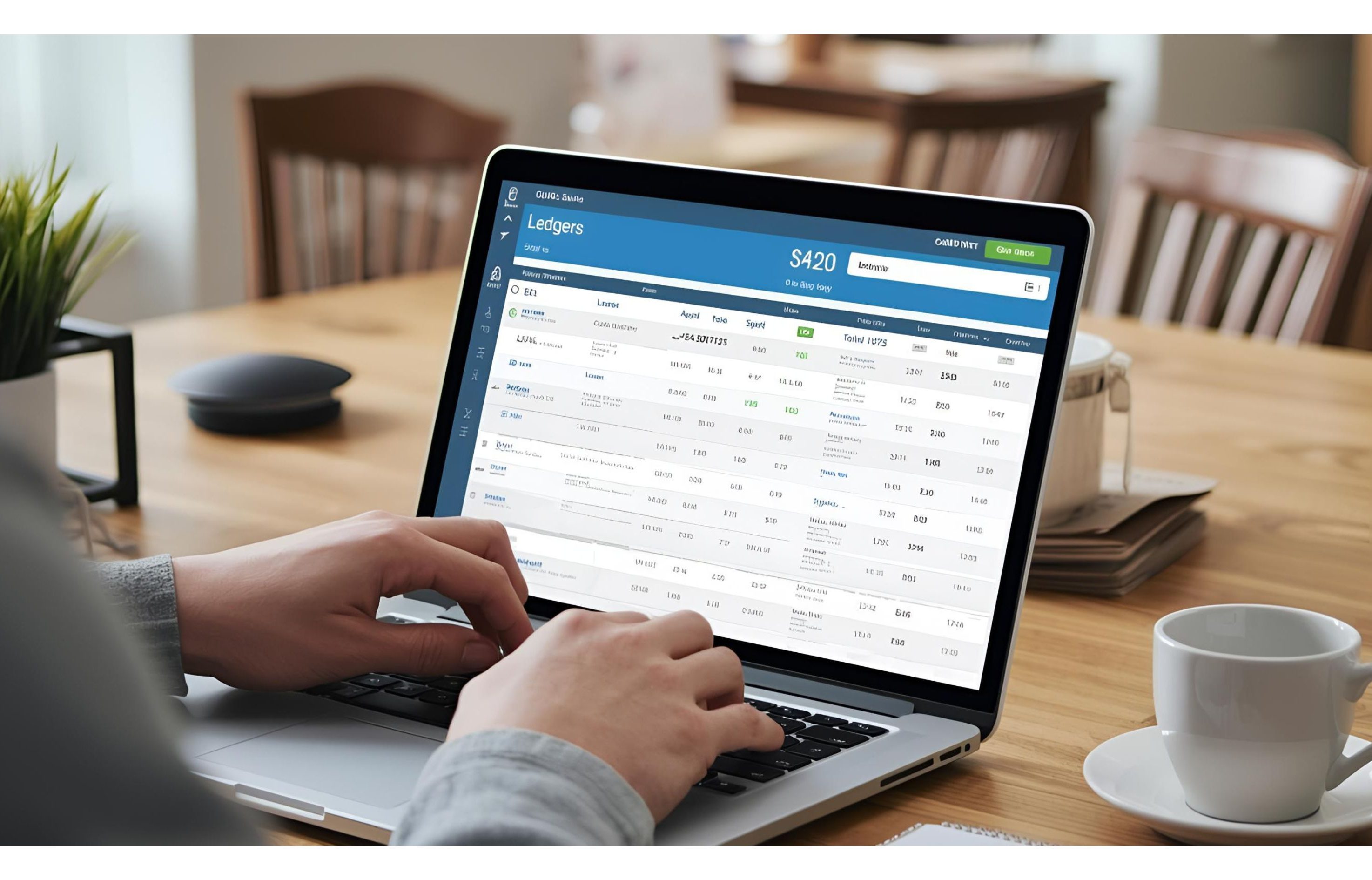
  • Organize Your Finances with Ledgers 

    Organize Your Finances with Ledgers 

    Turn Transactions into Insights with Smart Ledgers 

    Raw bank data only tells part of the story. To truly understand your finances, you need 

    categories, clients, and expense groups. That’s where Ledgers in ezBankSummary come in your built-in guide to smarter money management, making it easier to track spending, revenue, and even identify tools like the best financial analysis software to str

    bank mangement
    1. Create Ledgers for What Matters Most 

    Ledgers can represent: 

    • Clients (track revenue per client) 
    • Categories (group expenses like Office Supplies) 
    • Purchase Accounts (track marketing or vendor costs) 
    • Sales Accounts (track income sources) 

    Each type is color-coded for quick recognition. 

    1. Keyword-Based Categorization 

    No more manual tagging. Just add keywords for each ledger (e.g., “Amazon”, “Google Ads”, “Consulting”, “automated financial statement analysis”), and ezBankSummary automatically matches transactions against them. 

    1. Easy to Manage 
    • Add or remove keywords anytime. 
    • Edit ledger names and types easily. 
    • Delete unused ledgers in one click. 

    💡 Pro Tip: Start with 4–5 ledgers that reflect your biggest clients, vendors, or categories. This small setup delivers huge time savings later. 

    👉 Take control of your spending and revenue streams, set up your first ledger today.

  • Managing Bank Accounts in ezBankSummary 

    Managing Bank Accounts in ezBankSummary 

    Take Control of Your Finances with a Single Dashboard

    If you manage multiple bank accounts, you know how overwhelming it can get—different logins, scattered statements, and endless spreadsheets. With ezBankSummary, you can keep all your accounts neatly organized in one dashboard. It not only simplifies your daily money management but also helps with financial statement analysis giving you clearer insights into your spending, savings, and overall financial health.

    bank account
    1. Unified Bank Accounts Dashboard 

    The Bank Accounts page gives you a card-style view of all your accounts Checking, Savings, or even Credit Cards. Each card shows: 

    • Bank name and account number (last 4 digits only for security) 
    • Account type (Checking, Savings, etc.) 
    • Number of uploaded statements 
    • Latest statement file 
    bank statement
    1. Adding New Accounts is Simple 

    Click “+ Add Account” and a sleek modal opens up. Just enter: 

    • Account Name (e.g., “Chase Checking”) 
    • Bank Name 
    • Last 4 digits of account number 
    • Account Type 

    That’s it—your new account is ready to use. 

    3. Upload & Track Statements 

    Each account card also shows your uploaded statements. The system automatically keeps track of the latest file, so you never lose track of which statement was last uploaded. 

    💡 Pro Tip: Start by adding all your business and personal accounts. This foundation makes analysis and categorization much smoother later. 

    👉 Ready to simplify your finances? Add your first bank account in ezBankSummary today.